Why does fan direction matter in summer?
Ceiling fans don't lower air temperature. They move air across your skin, which speeds up evaporation of sweat and pulls heat away from your body. That's the wind-chill effect — the same reason a 75-degree day with a breeze feels better than a 75-degree day with stale air.
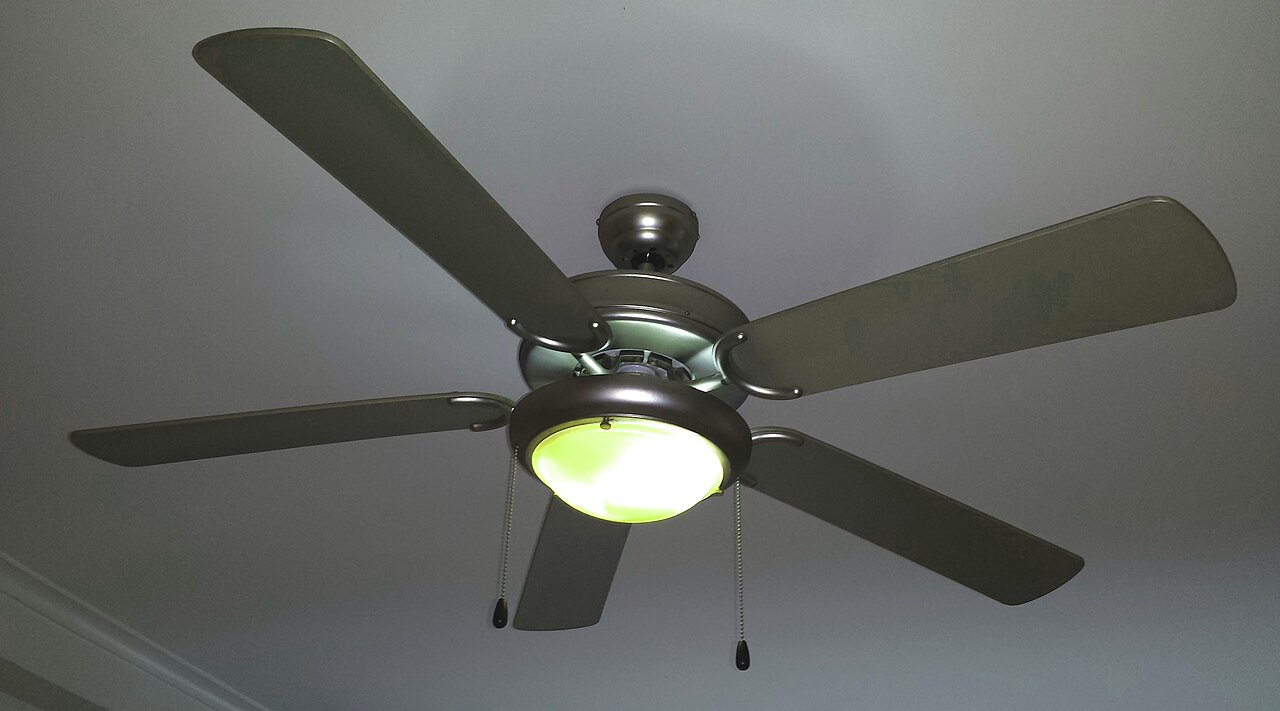
When the blades spin counterclockwise (as viewed from below), the angled blades scoop air and shove it downward in a column. You feel that column as a breeze. In winter, the fan should run clockwise at low speed to pull cool air up and push warm air along the ceiling and down the walls — gentle circulation without a draft. Run it counterclockwise in January and you'll feel a chill. Run it clockwise in July and you'll wonder why the room still feels stuffy.
Think of it like a box fan in a window. Point it inward on a hot night and you feel the blast. Turn it around and it just stirs the hot air. The ceiling fan's blade pitch — the angle of each blade — is designed to move air efficiently in one direction. Reversing the motor changes which way that pitch works.
How do I tell which way my fan is spinning?
Stand directly under the fan and look up. If the blades move from the top-left toward the top-right — counterclockwise — you're in summer mode. If they move top-right to top-left — clockwise — that's winter mode.
Most fans have a small sliding switch on the motor housing, often labeled "F" and "R" for forward and reverse. On many models, forward (F) is counterclockwise — summer. Reverse (R) is clockwise — winter. But not every brand follows that convention. The only sure test is watching the blades from below.
If the fan is high up or the light kit blocks your view, turn it on low, stand on a sturdy step stool, and watch the leading edge of one blade. The leading edge is the side that cuts the air first. In summer mode, the leading edge should be the higher side of the blade pitch.
How do I change the direction on my ceiling fan?
Turn the fan off and wait for the blades to stop completely. Changing direction while the motor is spinning can strip the reversing mechanism or damage the capacitor.
Find the direction switch on the motor housing — usually a small black or gray toggle near where the downrod meets the motor. Slide it to the opposite position. Some fans use a pull chain for direction; others have a remote with a reverse button. If you have a remote, point it at the fan and press the reverse button while the fan is off.
Turn the fan back on at low speed. Stand underneath and confirm the blades now move counterclockwise. If they don't, repeat the process. On older fans, the switch can feel stiff — don't force it. A little wiggle while sliding usually frees it.
What happens if I leave it on winter mode all year?
You lose the cooling benefit. In clockwise mode, the fan pulls air up toward the ceiling. You might feel a faint, indirect breeze along the walls, but nothing hits you directly. The wind-chill effect disappears. Your AC runs longer to hit the same comfort level, and you pay more for electricity.
In a North Miami summer, that difference shows up on the bill. A typical 52-inch ceiling fan on medium draws about 50 watts. Running it 12 hours a day for 90 days at 12 cents per kilowatt-hour costs roughly $6.50. But if that fan lets you raise the thermostat two degrees — say from 76 to 78 — your central AC (which draws 3,000 to 5,000 watts) runs significantly less. The savings on the AC side far outweigh the fan's cost.
Leaving it on winter mode doesn't damage the fan. It just wastes the tool's purpose for half the year.
Does fan speed matter for cooling?
Yes. Higher speed moves more air, which increases the wind-chill effect. But there's a point of diminishing returns. On high, the breeze feels stronger and covers more of the room, but the motor also draws more power and can create more noise.
For sleeping, medium or low often feels better — enough airflow to keep the air from feeling stagnant, not so much that papers blow off the nightstand. For a living room with people moving around, high works fine. Match the speed to the activity.
One rule: if you don't feel air moving on your skin at the highest comfortable speed, the fan may be too small for the room. A 44-inch fan in a 20-by-20-foot room won't reach the corners. The industry guideline: 36-inch fan for rooms up to 100 square feet, 44-inch for 100 to 150, 52-inch for 150 to 225, 60-inch or larger for bigger spaces.
Can a ceiling fan actually lower my AC bill?
Only if you raise the thermostat. The fan itself adds a small amount of heat to the room — the motor converts electricity into motion and waste heat. If you run the fan but keep the thermostat at 76, you're spending more, not less.
The math: each degree you raise the thermostat in summer saves roughly 3 to 5 percent on cooling costs. If your July bill is $220, raising the setpoint from 76 to 78 could shave $13 to $22 off that month. The fan costs maybe $6 to run all month. Net savings: $7 to $16. Over a four-month summer, that's $30 to $60.
But you have to actually feel comfortable at the higher temperature. That's where the wind-chill effect earns its keep. If the breeze lets you tolerate 78 when you'd otherwise demand 75, the fan has done its job — you're buying comfort with pennies of electricity instead of dollars of compressor time.
DIY Video Guide
This DIY walkthrough from DoitYourselfDiggz covers the simple things to check when your AC isn't cooling before you spend money on a service call. It isn't a ceiling-fan video — but it pairs with the tips above. The fan handles the airflow side of summer comfort; this video walks the other half, the AC unit itself, so both are pulling their weight on the hottest days.When to call us
DIY is great, but some jobs need a pro. If the problem persists, you spot anything dangerous, or you'd rather have an expert handle it, call (786) 892-8383 — North Miami Air Care serves North Miami and nearby (Mon-Sat 8AM-8PM). No pressure, no upsells.